EN
EN  es
es  ru
ru 
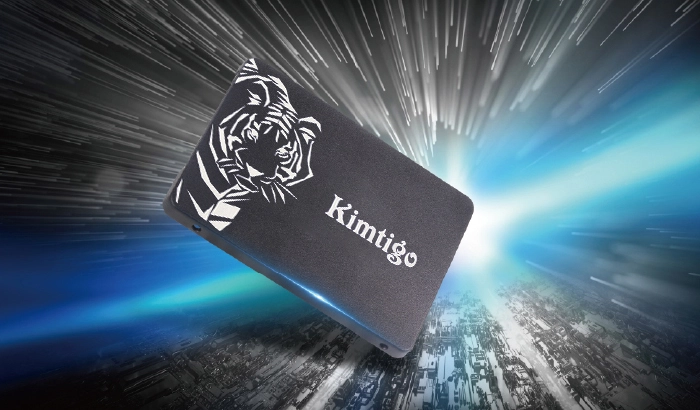
When it comes to upgrading the storage in your laptop or desktop computer, the choice of a Solid State Drive (SSD) is often a wise move. Among the various SSD form factors available, the 2280 SSD has gained prominence for its versatility, compact size, and exceptional performance. In this article, we will explore the reasons why the 2280 SSD is an ideal choice for both laptops and desktops.
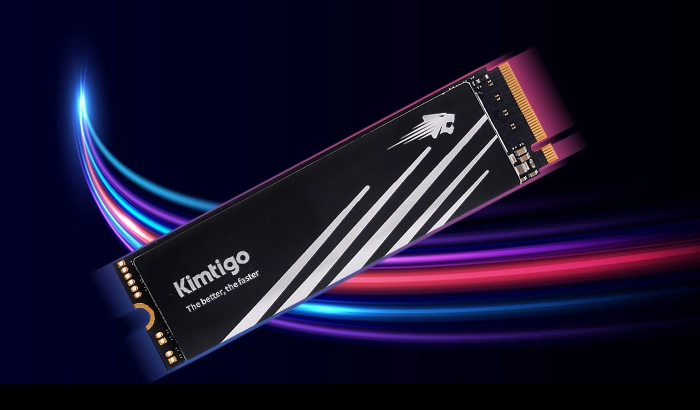
The "2280" in the 2280 Solid State Drive refers to its physical size, measuring 22mm in width and 80mm in length. This compact form factor makes it an excellent choice for both laptops and desktop computers. Its small size allows it to fit snugly into the M.2 slot commonly found in laptops and desktop motherboards.
Despite its compact dimensions, the 2280 SSD can offer substantial storage capacity, making it a versatile solution for various computing needs. Whether you're upgrading a laptop or custom-building a desktop, the 2280 SSD can seamlessly integrate into your system.
Laptops are known for their portability, and one of the key advantages of a 2280 SSD is its suitability for these on-the-go devices. The speed of an SSD significantly enhances a laptop's performance, making tasks like booting up the operating system and launching applications nearly instantaneous. This improved efficiency is particularly crucial for users who need a responsive and reliable laptop for work or travel.
The 2280 Solid State Drive's compact size also means it doesn't add unnecessary weight or bulk to your laptop. You can enjoy the benefits of increased speed and efficiency without compromising the portability and convenience that laptops offer.
When it comes to desktop computers, the 2280 SSD provides desktop users with a powerful tool to enhance performance. Whether you're building a gaming rig, a workstation, or a compact home office PC, the speed of an SSD is a game-changer.
Furthermore, the 2280 SSD's small form factor is advantageous for desktops as well. It allows for a more streamlined and space-efficient design, especially in compact PC cases. The reduction in physical size opens up opportunities for better cable management, improved airflow, and additional components or storage options within the case.
The versatility of the 2280 SSD extends to its compatibility with various operating systems and devices. It can seamlessly integrate with Windows, macOS, and Linux systems. This broad compatibility ensures that you can use the 2280 SSD in a range of laptops and desktops without compatibility issues.
Moreover, 2280 SSDs are built to adapt to future technologies. As software and applications evolve, the 2280 SSD remains relevant and capable of meeting the increased demands of emerging technologies. This future-readiness is an essential feature for users who want their laptops and desktops to stay competitive and up-to-date.
In conclusion, the 2280 Solid State Drive is a versatile and ideal storage solution for both laptops and desktops. Its compact form factor, impressive performance, and broad compatibility make it a compelling choice for a wide range of computing needs. Whether you're upgrading an existing laptop or building a custom desktop PC, the 2280 Solid State Drive can seamlessly integrate into your system, providing the speed, efficiency, and reliability you need for a smooth computing experience.
 Type-C Portable SSDs for Gamers: Speed up Load Times and Game On!September 15, 2023As a gamer, you know the importance of speed and responsiveness when it comes to your gaming experience. If you're tired of slow load times, lagging gameplay, and limited storage space, it's t...view
 Udimm VS Sodimm: Which One is Better for Gaming?February 26, 2025UDIMM (Unbuffered Dual In-Line Memory Module) and SODIMM (Small Outline Dual In-Line Memory Module) are two common types of memory modules used in desktops and laptops. UDIMMs are typically found in d...view
 Choosing the Right SSD for Your Surveillance NeedsOctober 16, 2023Surveillance systems are an integral part of security infrastructure in various settings, from homes and businesses to public spaces. As the importance of surveillance grows, so does the need for reli...view
 Kimtigo Participated 2014 Hong Kong Consumer Electronics ShowMarch 22, 2023Electronics@Components China Sourcing Fair 2014 will be held in Hong Kong AsiaWorld-Expo from October 11th to 14th. Kimtigo, the number one storage brand in mainland China, will make a high-profile ap...view
 The Power of PCIe Gen3x4 SSDs: A Closer Look at High-Speed StorageOctober 16, 2023In the world of data storage, speed and performance are the name of the game. PCIe Gen3x4 SSDs have emerged as a game-changing technology, pushing the boundaries of what's possible in terms of dat...view
 Automotive SSDs: Powering the Future of Connected CarsSeptember 15, 2023As automotive technology continues to advance, cars are becoming more than just vehicles; they are evolving into sophisticated computers on wheels. To support the growing demands of connected cars, au...view